
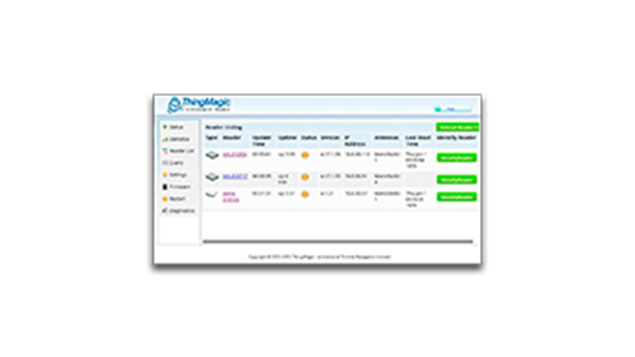
ThingMagic Mercury API, a simple and rapid setup solution for original equipment manufacturers (OEMs) and independent software vendors (ISV), is an extensive software development kit (SDK) designed to accelerate development time for JADAK ThingMagic readers.
Designed for developers, the ThingMagic Mercury API is exceptionally versatile, written in Java, C and C#, and it supports the following application types:
- Windows and Linux (C, C#, Java)
- .NET Framework, .NET Compact Framework, and .NET Core (C#)
- Android (Java)
- iOS (C)
- Microcontrollers (C)
ThingMagic Mercury API can control every aspect of the RFID reader through various commands, including:
- Advanced Read Functionality: setting antennas, protocols, filtering criteria
- Advanced Tag Operations: killing and locking tags
- Privacy and Security
- Performance and Memory Optimization
The JADAK Difference
With decades of medical and industrial engineering expertise, JADAK is a market leader and primary supplier of custom machine vision, RFID, barcode, printing, and color and light measurement products and services for original equipment manufacturers. Our team of advanced-degree engineers become an extension of your team, gain a deep understanding of your application, then, develop and implement a solution that’s a precise fit. All supported by full lifecycle management of your product.
Support Documentation
FAQs
The JNI/Serial libraries for ARM need to be built. See the makefile in [sdkinstall]\c\proj\jni it shows a makefile for compiling the JNI library. The simplest thing to do is unzip the mercuryAPI.jar, rename libSerialTransportNative.so.0 to linux-arm.lib and put it in the unzipped mercuryapi/com/thingmagic folder with the new one. Then when you invoke an application, make sure it’s using /mercuryapi in the classpath instead of /mercuryapi.jar.
If you would like to run the codelet from terminal, you would be needing the ltkjava-1.0.0.6 and mercuryapi.jar (available at location <mercuryapi>\java). Place the ltkjava-1.0.0.6, mercuryapi.jar and the required modified codelet(readasync.java) in a folder and then perform the below steps from that folder location.
Compile the application using the following command.
- javac -cp .:ltkjava-1.0.0.6.jar: mercuryapi.jar (Example: for “readasync.java” sample application, send below command to compile)
- javac -cp .:ltkjava-1.0.0.6.jar:mercuryapi.jar readasync. java Run the application using following command.
- java -cp .:ltkjava-1.0.0.6.jar:mercuryapi.jar <–ant 1,2> (Example: for “readasync. java” sample application, send below command to run)
- java -cp .:ltkjava-1.0.0.6.jar:mercuryapi.jar readasync tmr:///COMport –ant 1
Run the application using following command.
- java -cp .:ltkjava-1.0.0.6.jar:mercuryapi.jar <–ant 1,2> (Example: for “readasync. java” sample application, send below command to run)
- java -cp .:ltkjava-1.0.0.6.jar:mercuryapi.jar readasync tmr:///COMport –ant 1
We support the Kill command in Mercury API, but not in Universal Reader Assistant. “Kill” works like any other TagOp method, but we should use “Gen2.kill” instead of one of the other methods, such as for reading or writing data memory. Please note that the tag has a special Kill Password, which must be nonzero to kill a tag.
We do not have an option to provide a byte array with zero length in URA. Hence, Mercury API is suggested.